Module Engage Connector - v0.6.1
THEOplayer React-Native Engage Connector
An Engage connector for @theoplayer/react-native. Currently only Android platforms are supported.
Overview
The Engage connector aims to re-engage users with your app by offering interesting content, promotions and deals. Users can be driven directly to a relevant page within your app using deep links.
Typical use-cases are the "Continue Watching" feature, which allows users to continue media play-back from where they left off bookmarks, (personalized) recommendations promoting content that might be of interest to the user, or a sign-in option that navigates users to the sign-in page of your app.
Currently, the engage connector only supports the Android Engage SDK.
Terminology
In this document, we will refer to the following concepts:
- Entity: A content asset, which can be a "movie", "tvShow", "tvSeason", "tvEpisode", "liveStream", "videoClip", "signIn" or "subscription".
- Cluster: A collection of entities grouped together in single UI view. Available types are:
- "Continuation" or "Continue Watching": Contains unfinished videos and relevant newly released episodes.
- "Featured": Showcases a selection of entities.
- "Recommendation": Shows personalized content suggestions.
Installation
In addition to installing the engage connector module, it is also necessary to add a dependency to
react-native-mmkv to allow persistently storing engage data.
npm install \
@theoplayer/react-native-engage \
react-native-mmkv
The Engage SDK is set as a peer dependency, so the Android app using it still has to add an explicit dependency in Gradle, for mobile applications:
implementation "com.google.android.engage:engage-core:1.5.4"
or, for Android TV:
implementation "com.google.android.engage:engage-tv:1.0.0"
Usage
Creating a connector instance
Create an instance of an Engage client, using either the convenient useEngage hook or
by creating a direct instance of the connector:
const engageConfig = {
debug: true,
recommendationTitle: "Because you enjoyed",
};
// Creating a client instance using the connector
const client = await EngageConnector.createClient(engageConfig);
// ... or, alternatively, by using a hook
const engage = useEngage(engageConfig);
Creating clusters
Using the Engage connector API, a cluster can be created, or requested if it already exists on the device. A cluster is a grouped set of data which can be of type "Continuation" (or "Continue Watching"), "Featured" or "Recommendation".
import { ClusterType, ContinuationClusterConfig } from "@theoplayer/react-native-engage";
const continuationConfig: ContinuationClusterConfig = {
accountProfile: {
accountId: 'accountId',
profileId: 'profileId'
},
syncAcrossDevices: false
}
// Create or get the "Continuation" cluster.
const continuation = client.getCluster(ClusterType.Continuation, continuationConfig);
Alternatively, the useCluster hook can be used:
const continuation = useCluster(engage, ClusterType.Continuation, continuationConfig);
Updating or "publishing" cluster data
The cluster data can be updated either manually by manipulating its entities:
// Add or remove continuation entities.
continuation.addEntity({
id: "id0",
name: "The Dark Knight",
posters: [/**/],
// ...
});
or when requested by the connector. For example, on Android platforms when a broadcast message is sent to the app, or when a scheduled update request is set (e.g., each 12 hours).
Persisting cluster data
The cluster data is persistently stored on the device each time it is changed. When the app reopens and creates a new Engage client, the stored that will be loaded first.
Personalized experience
SignIn entity
An optional "signIn" entity can be displayed on the engage surface, which directs users to a sign-in page of the app.
const signIn: SignIn = {
type: EntityType.SignIn,
name: "Sign In Demo",
subtitle: "Demonstrates usage of sign-in card",
actionUri: "https://xyz.com/signin",
actionText: "Sign In",
posters: [
{
uri: "https://xyz.com/signin.png",
width: 320,
height: 180,
theme: ImageTheme.Light
}
]
}
engage?.setSignInEntity(signIn);
Subscription and entitlement data
In addition, it is possible to share app subscription and entitlement data via the Engage SDK, allowing users to easily find content they are entitled to and enable Google TV to deliver highly relevant content recommendations to users, directly within their Google TV experiences on TV, mobile and tablet.
Subscription information can be published whenever the user performs one of the following actions:
- The user logs in to the app;
- The user switches between profiles, if the app supports single account with multiple profiles;
- The user purchases a new subscription;
- The user upgrades an existing subscription;
- An existing user subscription or tiered subscription expires;
const accountProfile = {
accountId: 'testAccountId',
profileId: 'testProfileId'
}
const subscription: Subscription = {
type: EntityType.Subscription,
providerPackageName: 'testProviderPackage',
subscriptionType: SubscriptionType.Active
}
engage?.setSubscription(accountProfile, subscription);
The "subscription" entity that contains one or more entitlements.
Validating the published items
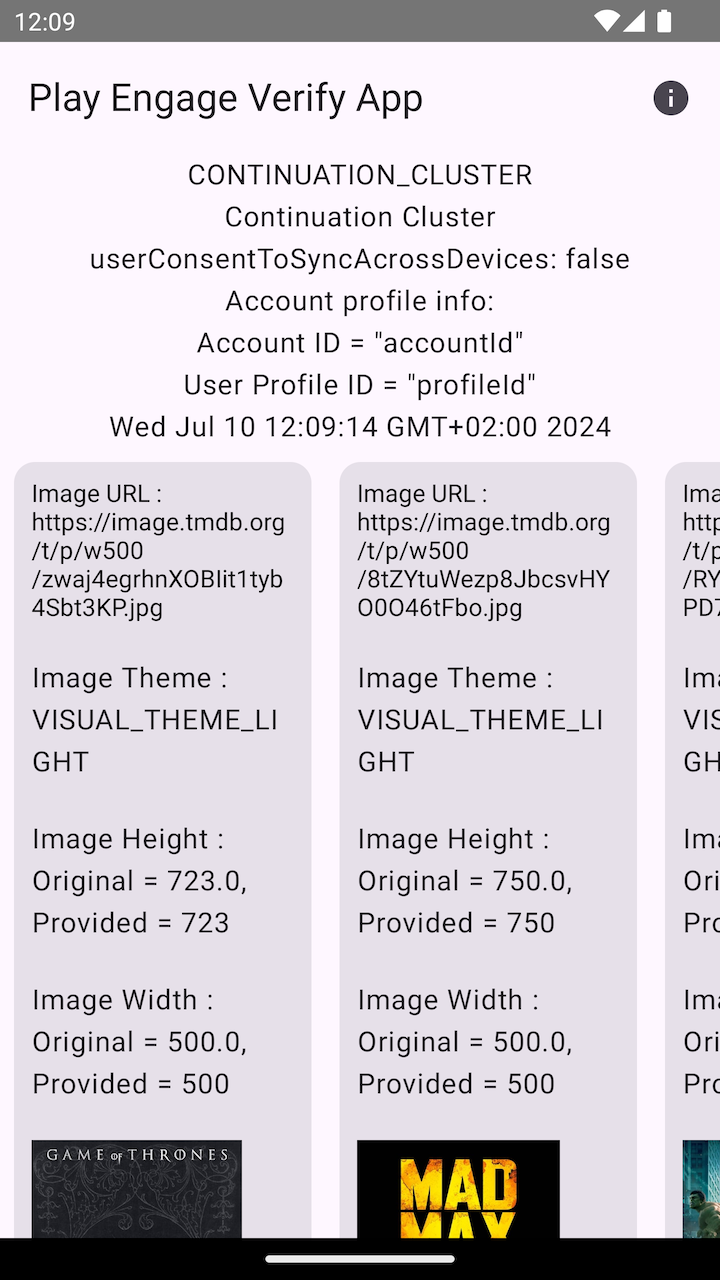
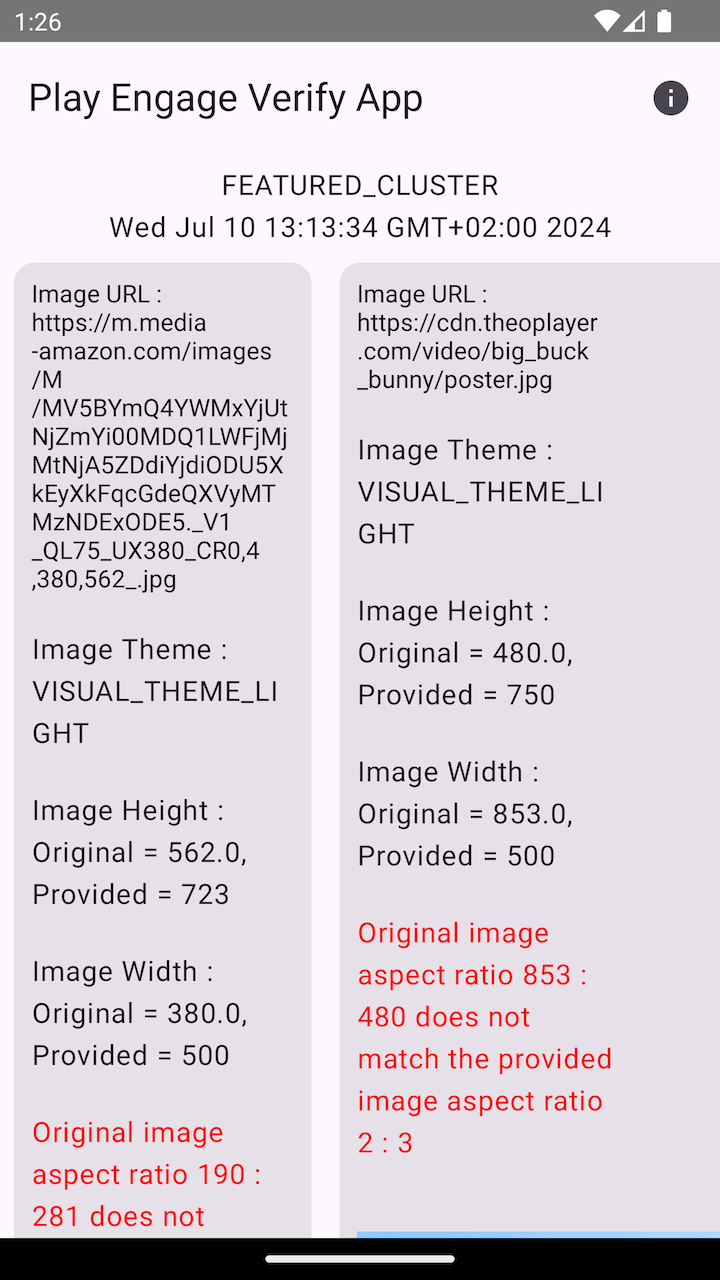
On Android, the Verification App can be used to check the state and contents of all published clusters. Warnings are shown in case the published data does not satisfy the requirements.
 |
 |
|---|---|
| Published Continuation cluster | Published Feature cluster with warnings |
Example application
The example app showcases the integration of the Engage connector in a React Native application.
Manipulating clusters
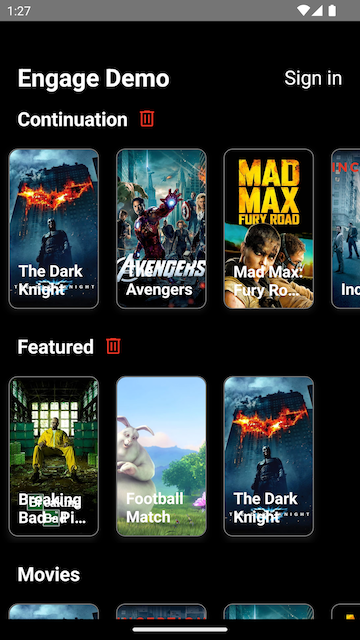
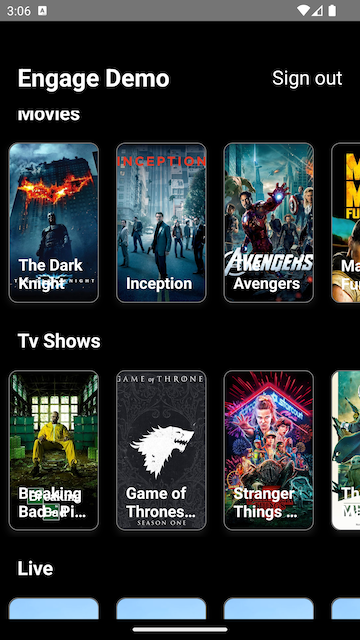
Tapping items (or entities) will add them to the "Continuation" cluster, while tapping items in the Continuation cluster will remove them again. On each update the cluster is persistently stored and published to the platform.
Unpublished clusters
Tapping the bin icon results in removing and unpublishing (deleting) the cluster from the platform.
 |
 |
|---|---|
| Continuation and Featured clusters | Swimlanes with entities |
Enumerations
Interfaces
- AccountProfile
- ClusterConfig
- ClusterEntity
- ContinuationClusterConfig
- DisplayTimeWindow
- EngageClient
- EngageClusterEventMap
- EngageConfiguration
- EngageEventMap
- Entitlement
- Entity
- Event
- EventDispatcher
- LiveStream
- Movie
- PlatformUri
- Poster
- Price
- RatingSystem
- RecommendationClusterConfig
- SignIn
- Subscription
- TvEpisode
- TvShow
- VideoClip