DVR window
DVR (Digital Video Recording) enables viewers to pause, rewind, and replay your live stream content. The DVR window defines how far back viewers can seek during your live broadcast.
DVR must be explicitly enabled on your account by a Dolby administrator, as it has a cost impact. Contact your account manager to get started.
Configuration
To enable DVR, set a window size in seconds on your channel. This determines the length of the rewindable buffer available to viewers. For example, a window size of 3600 seconds allows viewers to seek up to one hour back in the live stream.
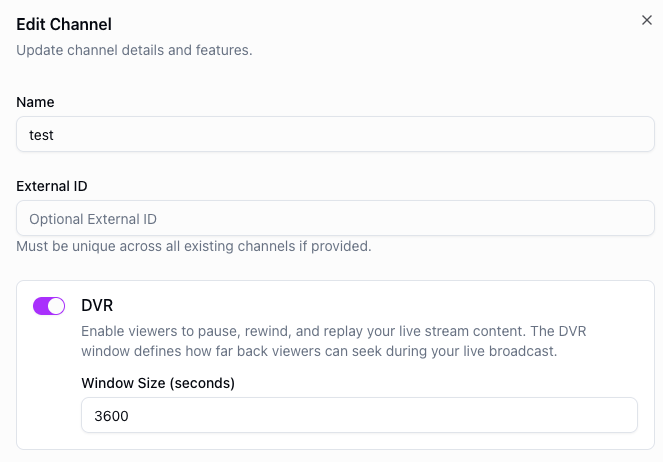
The DVR window size is configured at the channel level and applies equally to all distributions. You cannot set different window sizes for different distributions. However, you can enable or disable DVR on a per-distribution basis.
In addition to setting the window size on the channel, DVR must also be enabled on each distribution where you want viewers to have time-shifted playback. Distributions without DVR enabled will serve a live-only stream, even if the channel has a DVR window configured.
When DVR is enabled, viewers can scrub back through the live stream within the configured window. Once the window is exceeded, older content is no longer available for playback.
Very large DVR windows produce large HLS/DASH playlists, which can result in degraded performance on some players and devices. Chromecasts in particular are known to have issues with long DVR windows.
If you need a long DVR window, test thoroughly on your target devices before going to production.
API example
You can also enable DVR via the API by setting dvr.enabled to true and dvr.windowInSeconds to your desired window size (60–86400 seconds) when creating or updating your channel.
POST https://api.theo.live/v2/channels
{
  "name": "my-channel",
  "dvr": {
    "enabled": true,
    "windowInSeconds": 3600
  }
}