IP-blocking
IP-blocking restricts access to your stream based on specific IP addresses. This can be used to lock down access to known networks or block unwanted traffic. Only IPv4 and IPv6 CIDRs (Classless Inter-Domain Routing) are supported.
Configuration
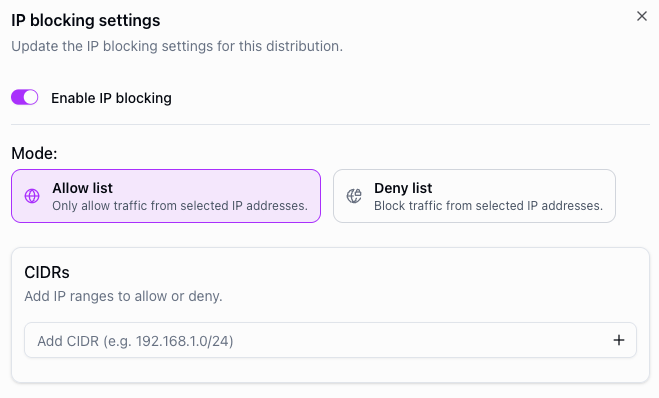
To configure IP-blocking, navigate to your distribution's security settings and enable IP-blocking. You can then choose between two modes:
- Allow list — only the listed CIDRs can access the stream. All other IP addresses are blocked.
- Deny list — the listed CIDRs are blocked. All other IP addresses can access the stream.
Add CIDRs to the list to define which IP addresses are affected.
API example
You can also configure IP-blocking via the API using the security.ipBlocking object when creating or updating a distribution.
POST https://api.theo.live/v2/channels/{channelId}/distributions
{
  "name": "my-distribution",
  "security": {
    "ipBlocking": {
      "enabled": true,
      "mode": "allow",
      "cidrs": ["203.0.113.0/24", "198.51.100.0/24"]
    }
  }
}
Notes
- IP-blocking can be enabled or disabled while a stream is live — no restart is needed.
- IP-blocking is applied per distribution, so different distributions on the same engine can have different rules.
- If geo-blocking is enabled for a country, IP-blocking rules for CIDRs originating from that country will not take effect.