Multi-audio
The Dolby OptiView Live platform supports multi-audio ingest and delivery. This functionality is perfect for use cases such as live events where multiple languages or commentary may be required.
caution
This functionality is only supported through the SRT ingest protocol.
Configuring multi-audio ingest and playback
To deliver multi audio SRT the following steps must be taken:
- Within the dashboard configure your SRT listener endpoint.
- Configure your expected incoming "Audio tracks" by specifying a language, label, and the expected PID.
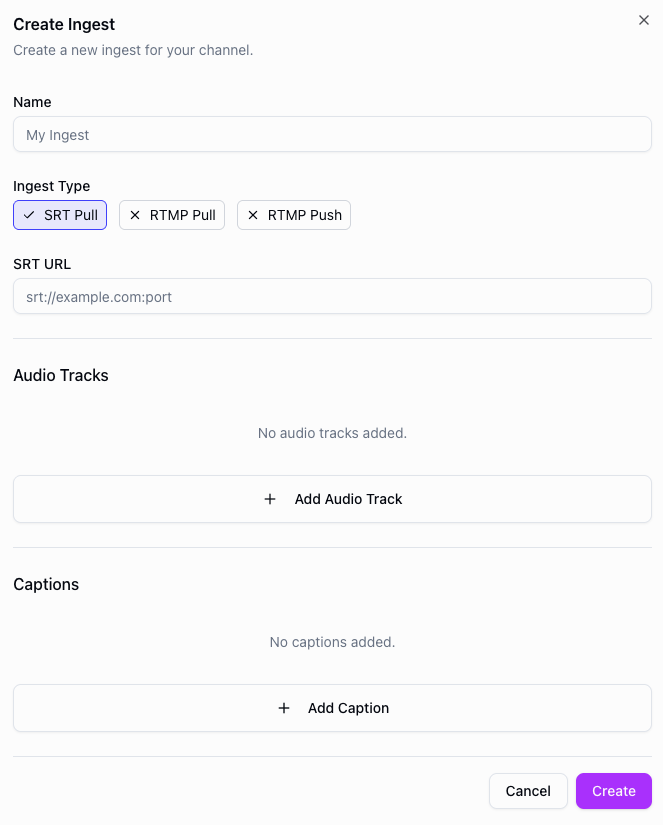
- Start the Channel and begin ingesting video and audio into the engine.
- Check the preview in the dashboard to validate the audio tracks are being received correctly.
API example
You can also configure multi-audio tracks via the API when creating or updating an ingest. Include the tracks.audio array in your request body, where each track requires a language and the pid matching your SRT stream.
POST https://api.theo.live/v2/channels/{channelId}/ingests
{
  "name": "my-ingest",
  "type": "srt-pull",
  "url": "srt://your-srt-source:1234",
  "region": "europe-west",
  "tracks": {
    "audio": [
      { "pid": 256, "language": "en", "label": "English" },
      { "pid": 257, "language": "es", "label": "Spanish" }
    ]
  }
}
Feature Compatibility and Limitations
- Audio must be encoded as AAC.
- Only stereo audio is supported.
- There is a limit of 12 audio tracks per channel.
Ingest
| RTMP Push | RTMP Pull | SRT Pull |
|---|---|---|
| No | No | Yes |